
Each SHM that is created at NatureServe has an accompanying summary PDF which gives critical contextual information about the model. The PDF generally includes information about the model confidence level, statistical performance, model thresholds, and a summary of model review comments. The SHM summary PDFs can be viewed within both the Geodata Portal and ArcGIS Pro.
- Sign up for the Geodata Portal
- Navigate to the NatureServe Geodata Portal and sign in using your Explorer Pro credentials.
- Once your account has access to the occurrence data and Habitat Models, you can navigate to the Group Content on the NatureServe Geodata Portal to see all the content.
- Locate the AGOL data layers containing species habitat models, select the NatureServe Categorical Species Habitat Models layer and click Open in Map Viewer.

- Once the Map Viewer has been launched, navigate to the table of contents and open the attribute table for the SHM data layer.
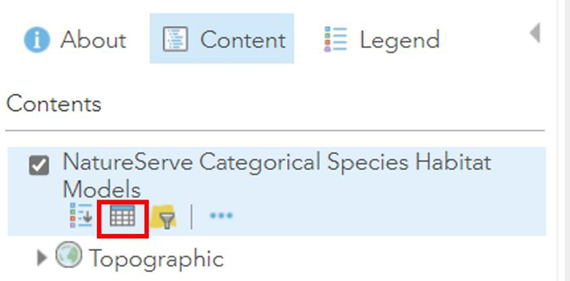
- In the attribute table, find the model of interest. Then, scroll to the right to find the“metadata_url” field. Click on the link that corresponds to the model summary PDF.

To access this information from ArcGIS Pro, make sure you have first added the data to ArcGIS Pro as described in the previous section. Then, open the attribute table of the desired species habitat model. Once again you can scroll all the way to the right to find the link to the summary PDF.